 Cadtranslator紫三角翻译

This tool only translates text within CAD files and writes the results back into the files, without altering any other content.
To protect user confidentiality, privacy, intellectual property, and drawing copyrights, this tool does not store uploaded CAD files—whether on its servers or any network space. Users are responsible for saving their processed files.
After conversion, files are not retained on the site. Please download your translated CAD file before closing the page to avoid loss of work.

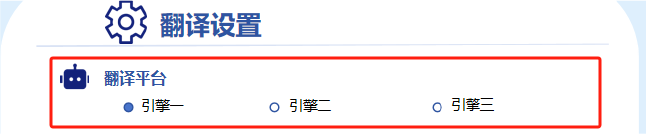 Engine 3 Notice:When using Engine 3, please note that processing may take longer. We recommend avoiding repeated clicks during this time. For faster translation, you may choose other available engines.
Recommended CAD Versions:For optimal compatibility, please use lower-version CAD files, such as:Architectural design files in Tianzheng _t3.dwg format、AutoCAD files from versions 2004–2018
Please do not upload DWG files saved in special-license editions of CAD (e.g., Educational, Trial, or Region-specific versions). Due to content restrictions in such files, conversion may fail or result in data loss.
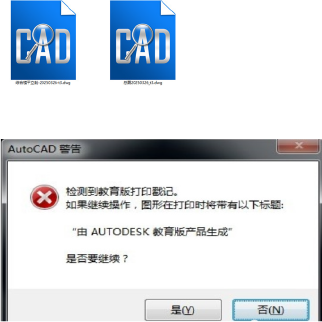
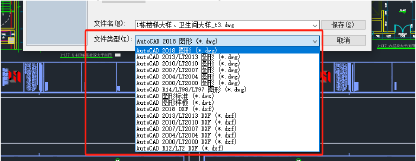
Due to differences in CAD source file versions, some elements such as blocks, graphics, or DXF references may be lost or fonts altered after translation. We recommend using AutoCAD .dwg files from versions 2004–2018 for best results
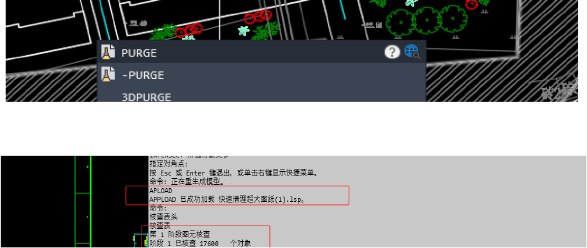
Before uploading your CAD file, please clean the file by removing unused elements (e.g., with the PURGE command or other cleanup tools). This reduces file load and helps improve translation speed and accuracy.
For large or complex drawings, you may run the LISP utility "Drawing Cleanup.LSP" within AutoCAD (via APLOAD command) to automatically clean and reduce file size before uploading.
Drawing Cleanup(Downloadable)
You may adjust the font size and line spacing of the output text according to your own needs or the state of the converted file.
For bilingual output, both the source text and the translated text can be scaled proportionally. Using the original text height as 1, you can set the output text height to a value between 0.3 and 1 times the source height.
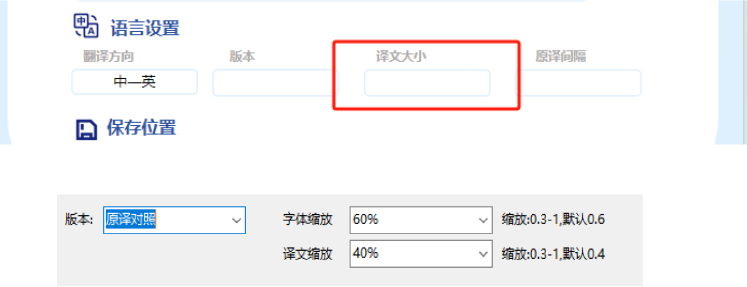
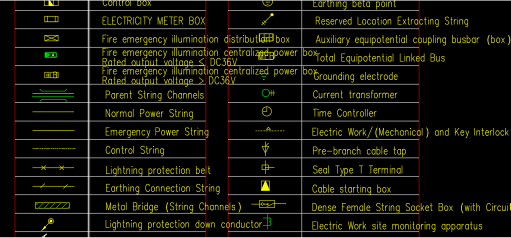
Due to variations in user source files, the length, width, and scaling of translated text may differ. Please be aware that some manual text layout adjustments may still be required after conversion. Please note that we currently cannot guarantee typographic results that will satisfy all users.
Your feedback matters. If you spot any translation errors or inaccuracies, please let us know. We thank you for your support and will reward helpful feedback
e-mail: [email protected]